How to claim your business on ChatGPT, step by step
ChatGPT now has its own version of Google My Business. I am getting all my B2C clients on it this week, and this is exactly how. Eight steps. If you ever set up a Google profile, you can do this.
What you take away
- What it is, and why I would claim it this week.
- What to have on your desk before you start.
- The 8 steps, click by click.
- What to do when verification gets stuck.
Google My Business, but in ChatGPT
On 10 November OpenAI launched Businesses in ChatGPT. Through Business Hub you claim your business, fill in your details and see how often ChatGPT mentions you and how many people click through to your website.
1.2 billion people use ChatGPT every week, and they ask it the same things they ask Google: where can I buy this, who delivers, what is open now. It is still in beta, and it works in Belgium: any eligible business in a country where ChatGPT is available can claim its profile.
Have this on your desk first
- A ChatGPT account you will keep. Free is fine.
- One way to prove the business is yours: your business email inbox, access to your domain's DNS (or the person who manages your website), or your Shopify store.
- Your ID card and your enterprise or VAT number.
- Your Google profile open in another tab: name, address, opening hours, phone, a short description and a few good photos.
Claim your business in 8 steps
Sign in to ChatGPT
Go to chatgpt.com and sign in. A free account is fine. I did mine on one. Pick an account you will keep, like your work email: it becomes the admin of your profile.
Open Business Hub
Click Business Hub in the sidebar, or go straight to chatgpt.com/business-hub.
Find your business
Type your business name and pick the listing with your name and your address. Confirm the account you will manage it with.
Prove it is yours
Choose one. Business email: click Get code and type in the code you get on your business email. Website domain: copy the TXT record ChatGPT gives you into your domain's DNS settings, exactly as shown, and click Verify domain. Your website is managed by someone else? Send them the record. Shopify: click Connect Shopify and log in to your store.
Verify yourself with Persona
Before your profile goes live, OpenAI checks who you are through Persona. Have your ID card, your enterprise number (KBO) and proof that you can represent the business at hand. Name, address and VAT number have to match your official records to the letter, or the check fails.
Fill in your profile
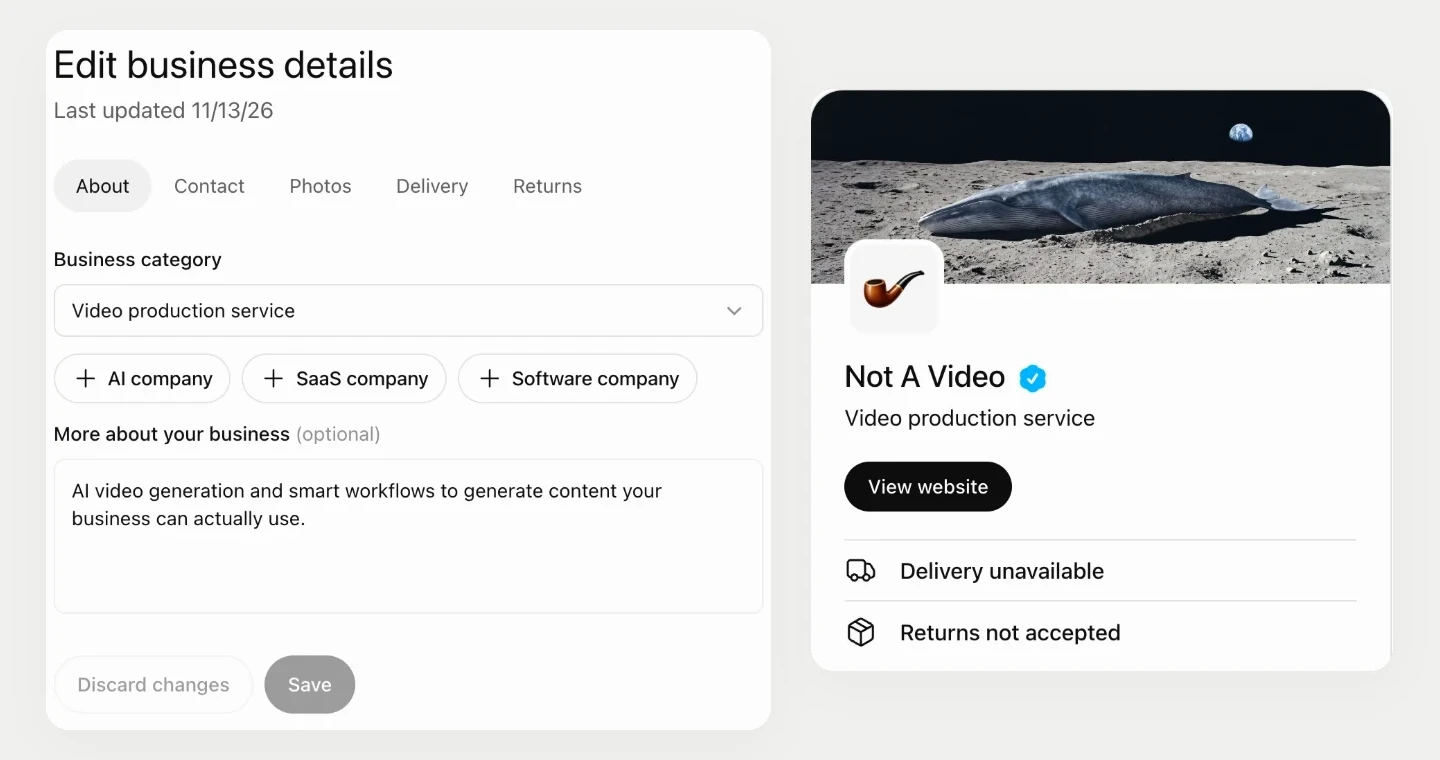
Go through every tab: About (category, extra categories and two lines on what you do), Contact, Photos, Delivery and Returns. Copy what is on your Google profile: the same name and the same address. There is no separate publish button, so only hit save when it is right.
Add your team or agency
Whoever claimed the profile can add teammates and give an agency access in Business Hub. Everyone logs in with their own ChatGPT account. Never forward your own claim invitation.
Check your insights once a month
Under Insights you see the last 28 days: how often ChatGPT mentioned you, how many people clicked through to your website, and what they asked about. Empty numbers usually mean there is not enough data yet, not zero.
Who should do this first
I maintain more than 20 Google My Business profiles for clients with a physical store, and I am urging all of them to register as soon as possible. The ones that gain the most:
- Shops with a physical store. Opening hours, address and what you sell, right where people ask.
- Businesses that deliver, like a florist with personalised arrangements. The profile has its own Delivery tab.
- Restaurants and pharmacies. "Near me", "open now", "do they have it": exactly the questions people ask.
Questions
What is a business profile in ChatGPT?
Google My Business, but in ChatGPT. Since 10 November 2026 businesses can claim their profile through Business Hub, keep their details up to date and see how often people find them. ChatGPT has 1.2 billion users a week.
Does it cost anything?
Claiming does not need ads or a paid plan. I claimed mine on a free ChatGPT account. Ads and business agents are separate.
Will ChatGPT recommend me more often?
Not automatically. OpenAI says claiming gives no guarantee of more visibility, and ads do not change ChatGPT's own answers. You do control whether the information about your business is correct and complete.
My verification is pending or failed. Now what?
Pending: wait for OpenAI's email. Review times vary. Failed: follow the email, click Try again if you get the option, and check that name, address and VAT number match your official records. Still stuck? Contact OpenAI Support.
I have more than one shop or brand. Can I do them all at once?
No. Every brand is managed on its own, and claiming the main brand does not claim its locations.
Can customers chat with my business in ChatGPT?
Not in Europe yet. Business Agents, a chat on your profile, are only open to webshops and online services in the United States for now.